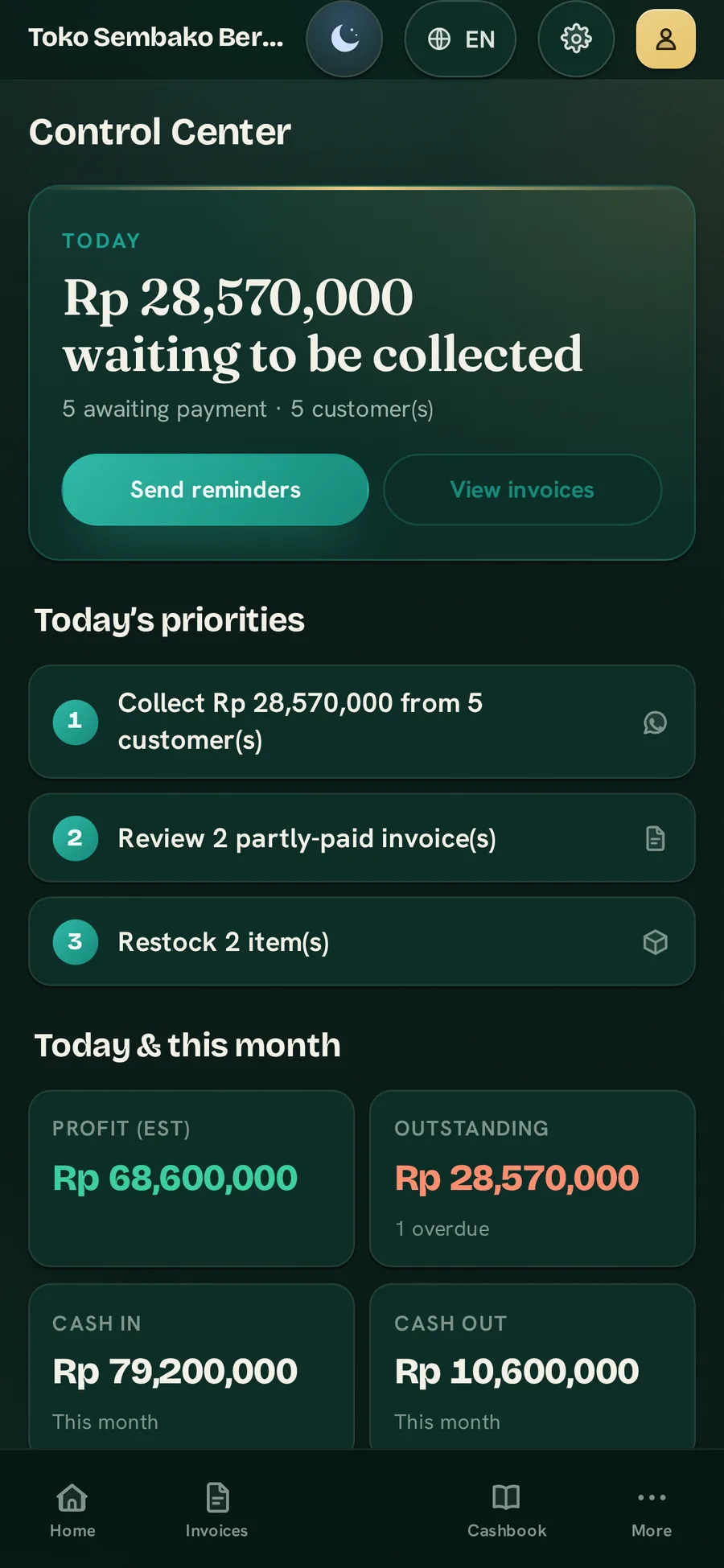
Control Center
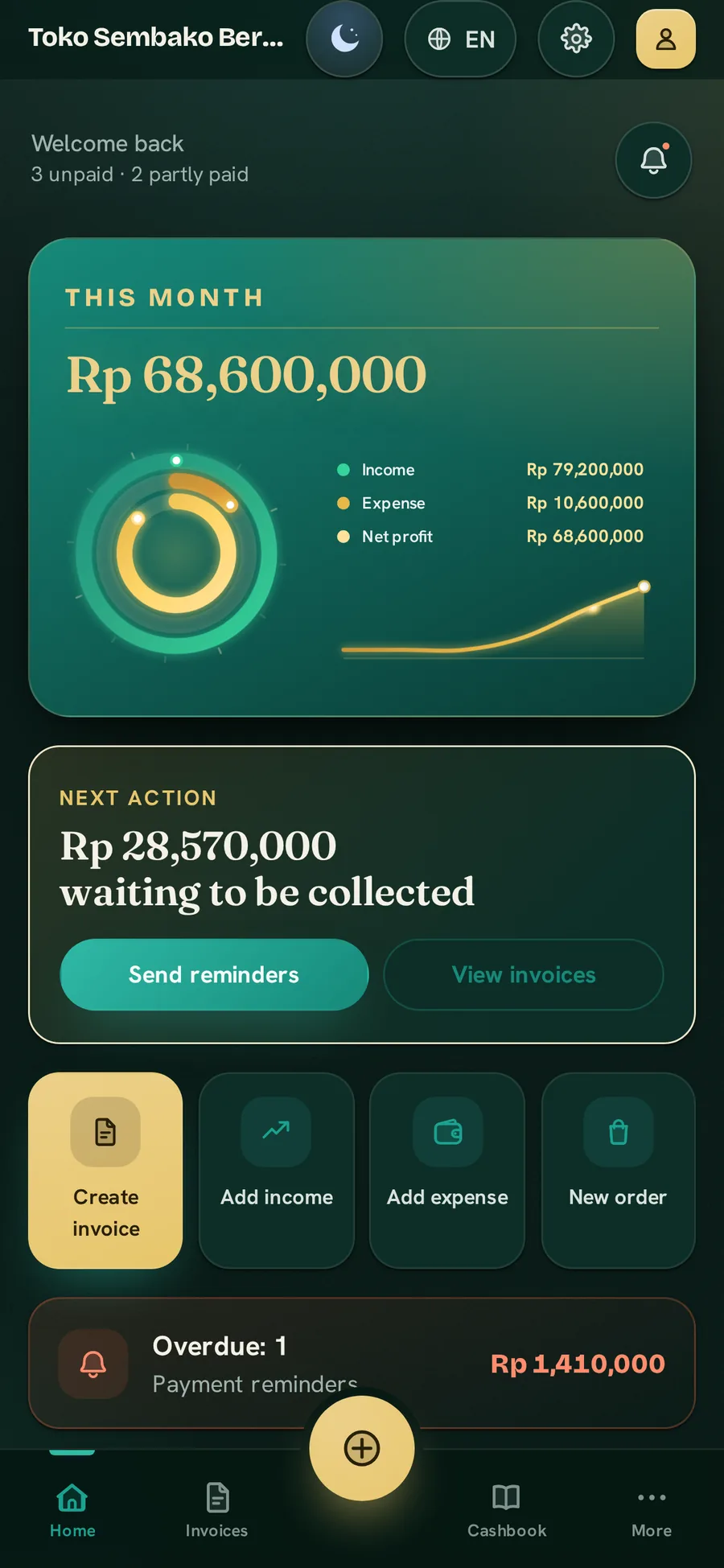
One home screen that surfaces what needs attention — money to collect, what is overdue, and the day's profit at a glance. Start here; the book sorts the rest.
BillBook is web-based invoicing & billing software for small businesses — invoices, receipts, cashbook, credit ledgers and stock in one private book, offline-first, in Bahasa Indonesia or English, and always yours to export.

Works offline. No card needed. Export your data anytime.
Available now on Google Play and the App Store — and the web app runs in any browser.
No star ratings to borrow yet, and no inflated numbers. Just what is plainly true about how BillBook works — and who it is built for.
The Android and iPhone apps are published and downloadable today — and the web app runs in any browser, on any device.
Local currency, taxes, language and payment rails for each one — not a single template stretched to fit.
Works offline, your data lives on your device, and you can export it anytime. No lock-in.
BillBook makes money from a simple subscription — never from ads, and never from selling your data.
Add your own scan-to-pay code and money goes straight to your account. BillBook never touches it.
Real reviews will appear here as people leave them.
Invoices, credit, cash and stock — the things you track every morning and reconcile every night — kept together in one calm, private record.
One home screen that surfaces what needs attention — money to collect, what is overdue, and the day's profit at a glance. Start here; the book sorts the rest.
Money in, money out, a running balance — open it each morning, close it each night.
A simple stock book that flags what is running low and what is selling fast — straight from your real sales.
A running balance for every customer, with statements you can share in a tap.
Bills that repeat — rent, tuition, subscriptions. Each one is ready on the day it falls due; you generate and send it in a tap.
The other half of the book — purchase bills, what you owe each supplier, and every payment you make.
Unpaid invoices lined up by how much money is at risk, so you chase the ones that matter first.
Record a post-dated cheque the day you take it, and get a reminder on the day it can be banked.
Your real profit, what you are owed, stock health, and the monthly sales that cover your fixed costs.
Send a quote, then convert it to an invoice the moment it is accepted.
Your book lives on your own device, and a full export means it is always yours to take.
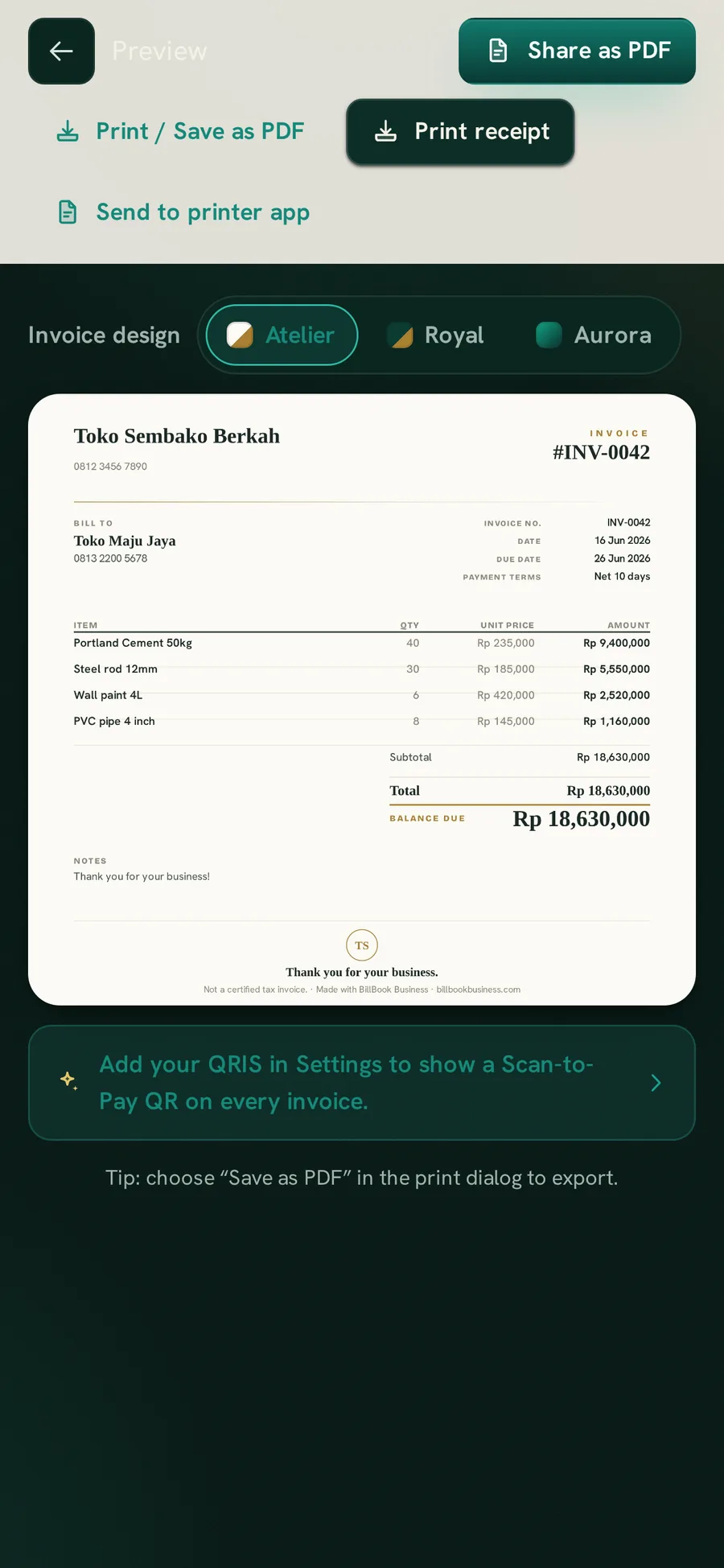
Build the bill, pick a premium design, and send it straight to your customer's chat. Log the payment and the very same document turns into a print-ready receipt — the whole job, from first line to settled, in one calm flow.
Atelier — luxury minimal. Royal — classic formal. Aurora — modern fintech.
Atelier design
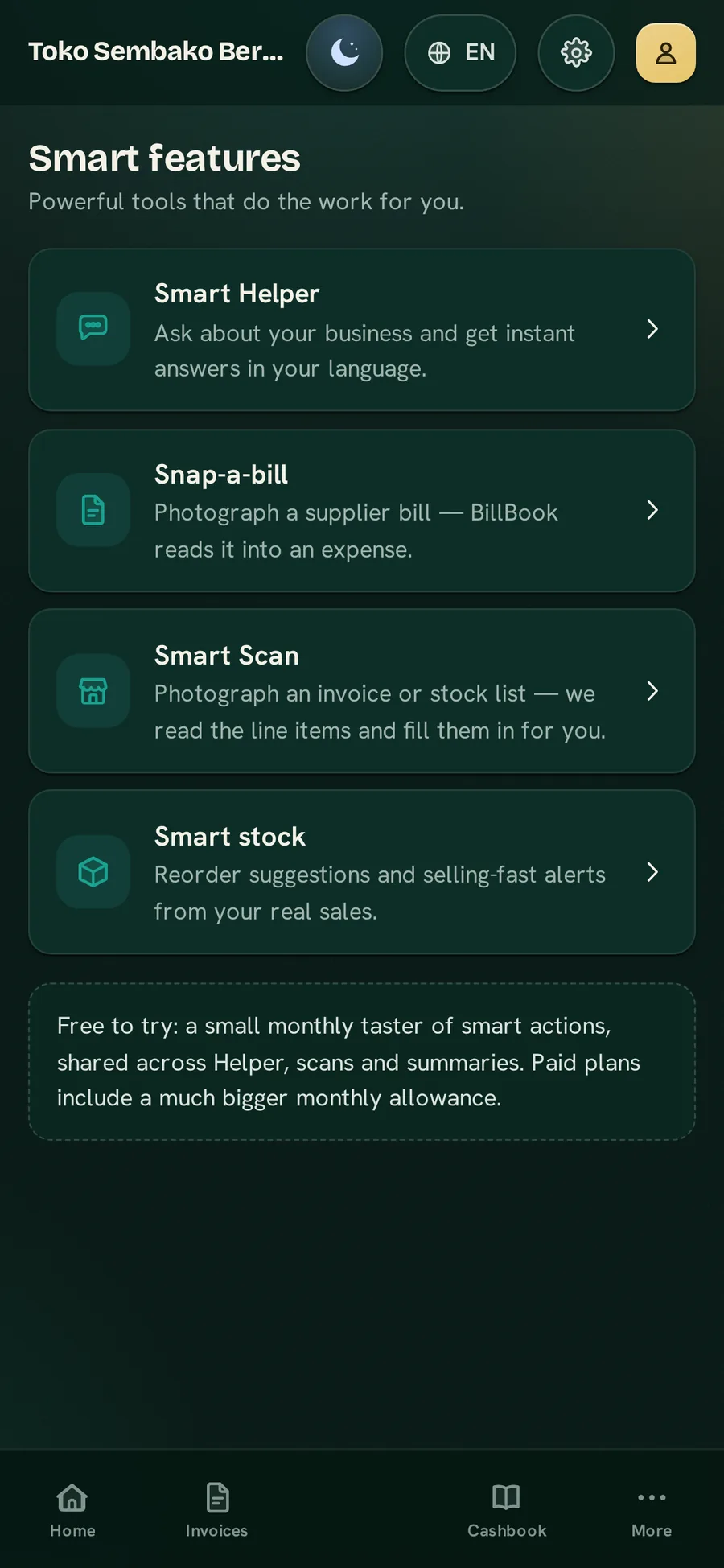
Ask a question, snap a bill, close out the day — and let BillBook do the counting. Every smart tool works from your own figures, in your own language.
Ask about your business in plain words — in Bahasa Indonesia or English — and get the answer back from your own books.
Photograph a supplier bill or receipt and it becomes an expense in your cashbook — no typing, no calculator.
Photograph an invoice or a stock list and every line item is read and entered for you — just review and save.
Snap a bank statement or a single-transaction screenshot and the entries land straight in your cashbook.
One tap gives a clear end-of-day brief — what came in, what went out, where you stand — built only from today.
Watches your real sales to flag what to reorder and what is selling fast, so shelf calls come to you.
Every smart tool is optional. Your figures stay on your device and only leave it — over a secure connection — the moment you ask a question or snap a bill. Never used for ads, never used to train models, never sold.
Reading the bill…
Full Bahasa Indonesia and English — not a half-translated menu with English hiding underneath. Every screen is built in both, so you and your staff work in whichever one feels natural.
This is the same theming engine BillBook ships — not a picture of it. Pick a theme and the whole page recolours in real time. Your choice is remembered the next time you visit.
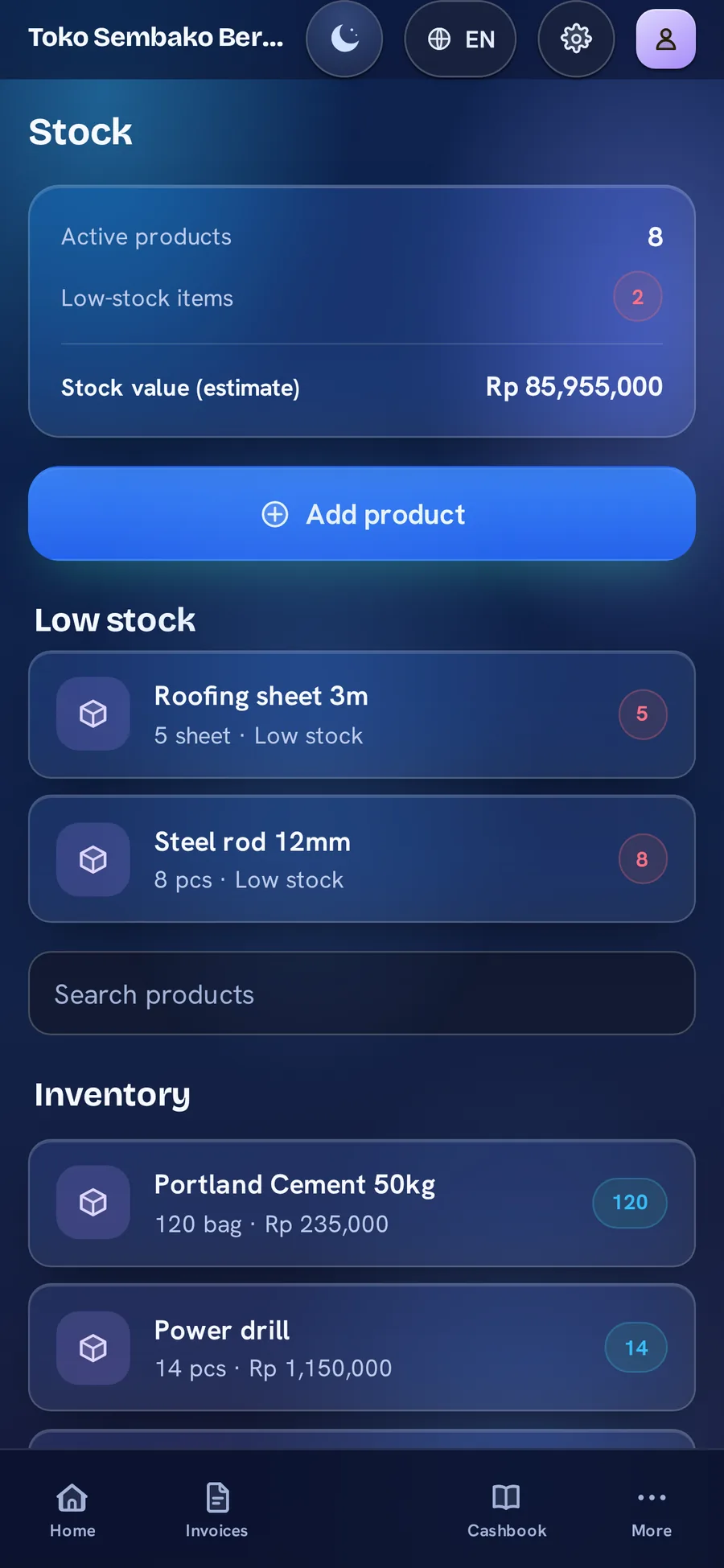
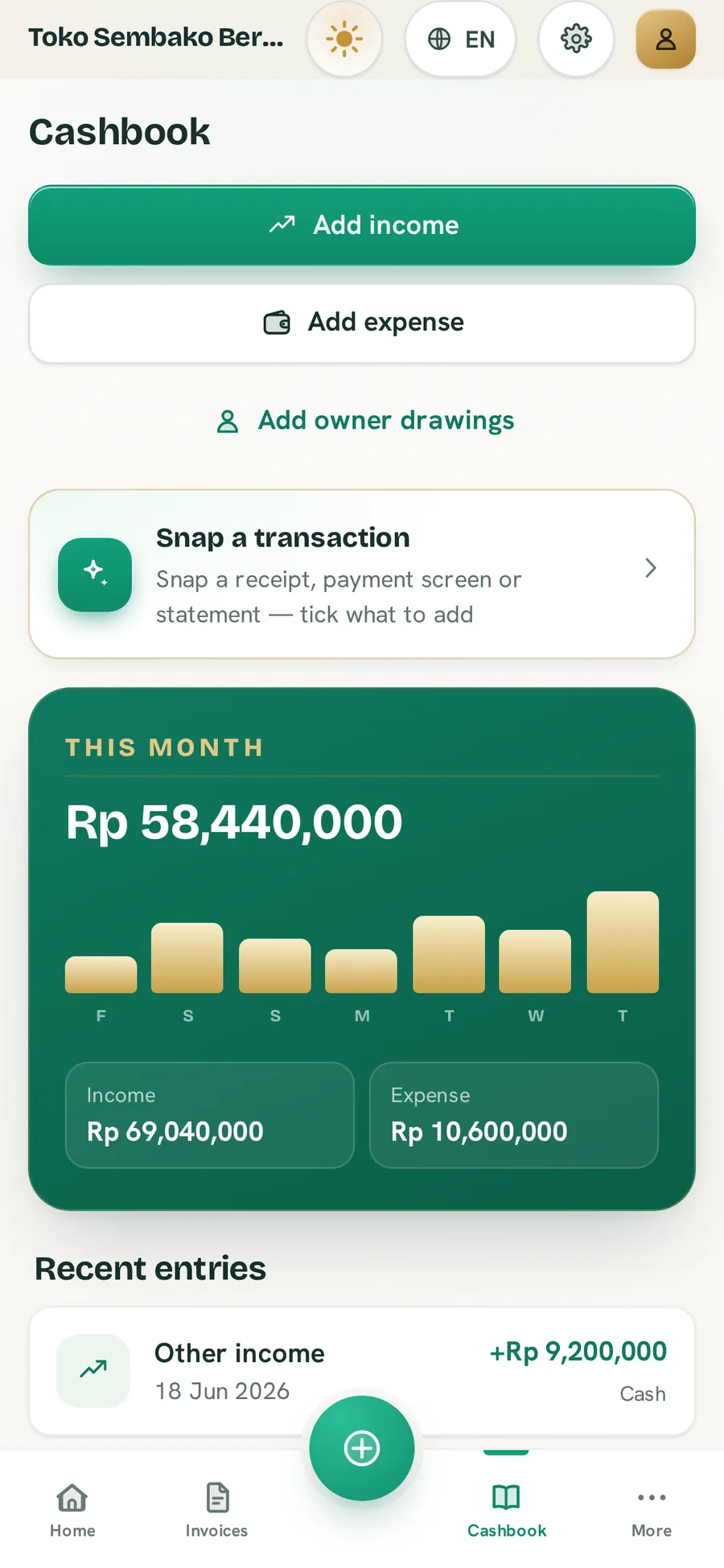
Atelier opens dark and luxe · Aurora cools to glass · Ledger lifts into daylight. Same data, three looks.
Every rupiah of money in and money out, logged as it happens — with a guided end-of-day close. Open it each morning, settle it each night — and read exactly where the day stands.
Sample figures, for illustration.
No setup wizard to dread, no manual to read. If you can keep a paper book, you already know how.
Add your business name, logo and the look of your documents, then pick your language — Bahasa Indonesia or English. That is the whole setup.
Build a professional invoice in a few taps, or use Quick Add to log a sale, an expense or a cashbook entry on the spot.
Send the invoice on WhatsApp, then record full or partial payments and watch the outstanding balance settle to zero.
Everything stays on your device from the very first entry — no card, no account needed to begin.
Open the web appStart free — real invoices, a real cashbook, real ledgers, on your own device. When you outgrow the free limits, simple paid plans add unlimited records, your branding, cloud backup and a monthly allowance for the smart assistant.
For one business on one device, getting started.
For growing shops that want everything premium.
For Premium users who want a real monthly smart allowance.
Paid plans from Rp 24,900 / month
Upgrade anytime — secure checkout is built right into the app.
Paid plans are software subscriptions. Upgrade anytime with secure checkout built right into the app. Your records stay on your device by default, a full export is always available, you can start free with no card, and you can cancel anytime.
Plain answers on offline use, who owns your data, devices, the free tier and what the smart features actually do.
Yes — BillBook is offline-first. You can create invoices, take payments, run the cashbook and update stock with no signal at all.
If you turn on optional cloud backup, it simply syncs the next time you are back online. The connection is a convenience, never a requirement.
Your records live on your own device by default — invoices, receipts, cashbook, orders, stock and your customer and supplier ledgers stay in the app on your phone. Nothing is uploaded unless you turn on optional cloud backup, and even then it is secured per user so only you can read it.
We never sell your data or your customers’ details, and we never show ads. You can export everything, or permanently delete it, at any time.
Both. BillBook runs in any modern web browser on a desktop or laptop, and it can be installed as a standalone app. There is also an Android app.
To see the same records across a computer and a phone, turn on optional cloud backup and sync — by default each device keeps its own local book.
You capture and track customer orders through to fulfilment in the Orders screen, and share polished invoices and statements straight to WhatsApp.
So an order that arrives by message becomes a tracked entry, and the bill goes back the same way — in one place.
Yes. The Free plan covers a single business on one device and includes 10 invoices a month, 15 active orders, 40 cashbook entries a month and 2 report exports a month, plus a taster of 2 smart actions a month.
When you are ready for more, Premium removes those limits and adds your logo and branding, plus cloud backup and multi-device sync. See the Pricing page for current subscription prices.
The entire app is available in Bahasa Indonesia and English — fully translated, not a partial overlay.
You can switch languages in Settings, and your invoices and documents follow your choice.
The Smart Helper, Snap-a-bill and statement scanning are opt-in and require sign-in. They stay on your device until you use them.
When you ask the Helper a question or scan a bill, only what is needed — your typed question and the relevant figures, or the photo you scanned — is sent securely over HTTPS to the processing service to produce that answer or read that bill. It is never used for ads, never used to train models, and never sold. If you never use these features, none of that data leaves your device.
No. BillBook is a record-keeping tool, not a payments product. It never connects to a bank, card processor or payment gateway, and it never stores card or bank details.
It keeps your business records clear and complete; moving the actual money stays between you and your customer.
Still wondering something? Open the web app and try it — nothing to install, no card needed.
Your invoices, credit, cash and stock in one private book you fully own — online or off, in Bahasa Indonesia or English.
Works offline No card needed Export your data anytime